Terms and policies
Terms and policies define legal relations with your users. To comply with legislation, you have to display links to these documents in your application.
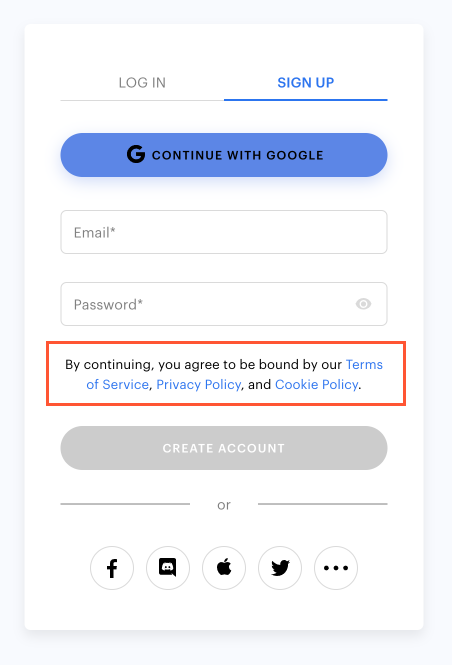
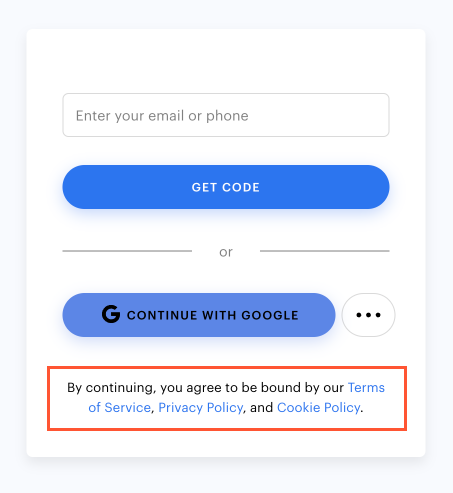
The way links are displayed depends on the Login method set up in the project:
- Classic login:
- Passwordless login:
- When social login is set up, links to terms and policies are displayed on the social network page.
To add links to terms and policies to the login widget:
- Open your project in Publisher Account.
- In the side menu, click Players > Login.
- Click Configure in the Login project pane.
- Go to Legal settings > Terms and policies.
- Add links to the following documents:
- Terms of service (required)
- Privacy Policy
- Cookies Policy
- Click Save changes.
To add links to terms and policies to the login widget:
- Open your project in the account for mobile games.
- In the side menu, click Other tools > Login.
- Click Configure in the Login project pane.
- Go to Legal settings > Terms and policies.
- Add links to the following documents:
- Terms of service (required)
- Privacy Policy
- Cookies Policy
- Click Save changes.
To add links to terms and policies to the login widget:
- In your project in the account, go to the Players > Login section.
- Click Configure in the Login project pane.
- Go to Legal settings > Terms and policies.
- Add links to the following documents:
- Terms of service (required)
- Privacy Policy
- Cookies Policy
- Click Save changes.
To add links to terms and policies to the login widget:
- In your project in the account, go to the Players > Login section.
- Click Configure in the Login project pane.
- Go to Legal settings > Terms and policies.
- Add links to the following documents:
- Terms of service (required)
- Privacy Policy
- Cookies Policy
- Click Save changes.
To add links to terms and policies to the login widget:
- In your project in the account, go to the Players > Login section.
- Click Configure in the Login project pane.
- Go to Legal settings > Terms and policies.
- Add links to the following documents:
- Terms of service (required)
- Privacy Policy
- Cookies Policy
- Click Save changes.
Notice
Xsolla does not check if links to these documents exist or work correctly.
Was this article helpful?
Thank you for your feedback!
We’ll review your message and use it to help us improve your experience.Found a typo or other text error? Select the text and press Ctrl+Enter.
