Creator Site
Creator Site is your public page where viewers can discover your content, browse available campaigns, and support you. It’s created automatically when you join Partner Network and gives you a unique link — x.la/@yourusername — that you can share across your social media platforms.
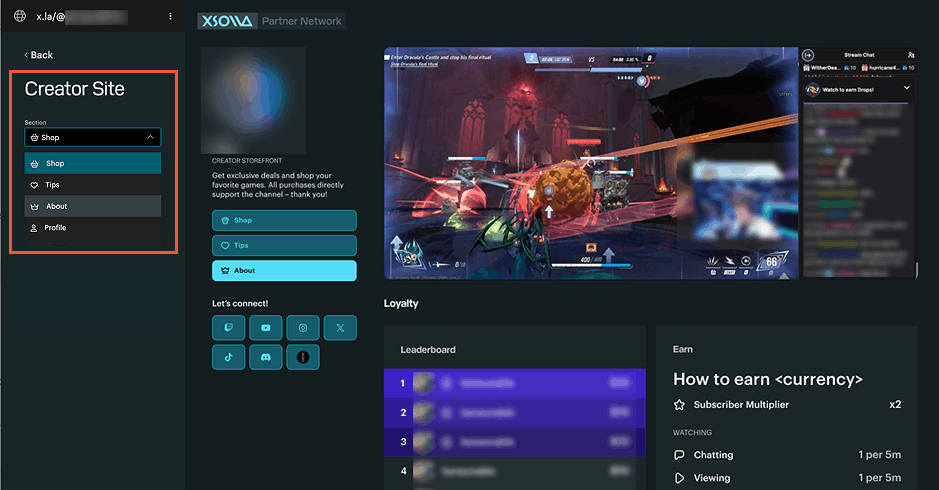
To configure sections on your site, go to the Creator Site page and choose what you want to edit from the Section drop-down list:
- Shop — your storefront. Refer to the Creator storefront integration guide for more information.
- Tips — a way for your audience to support you with donations. Refer to the Settings documentation to set up tips.
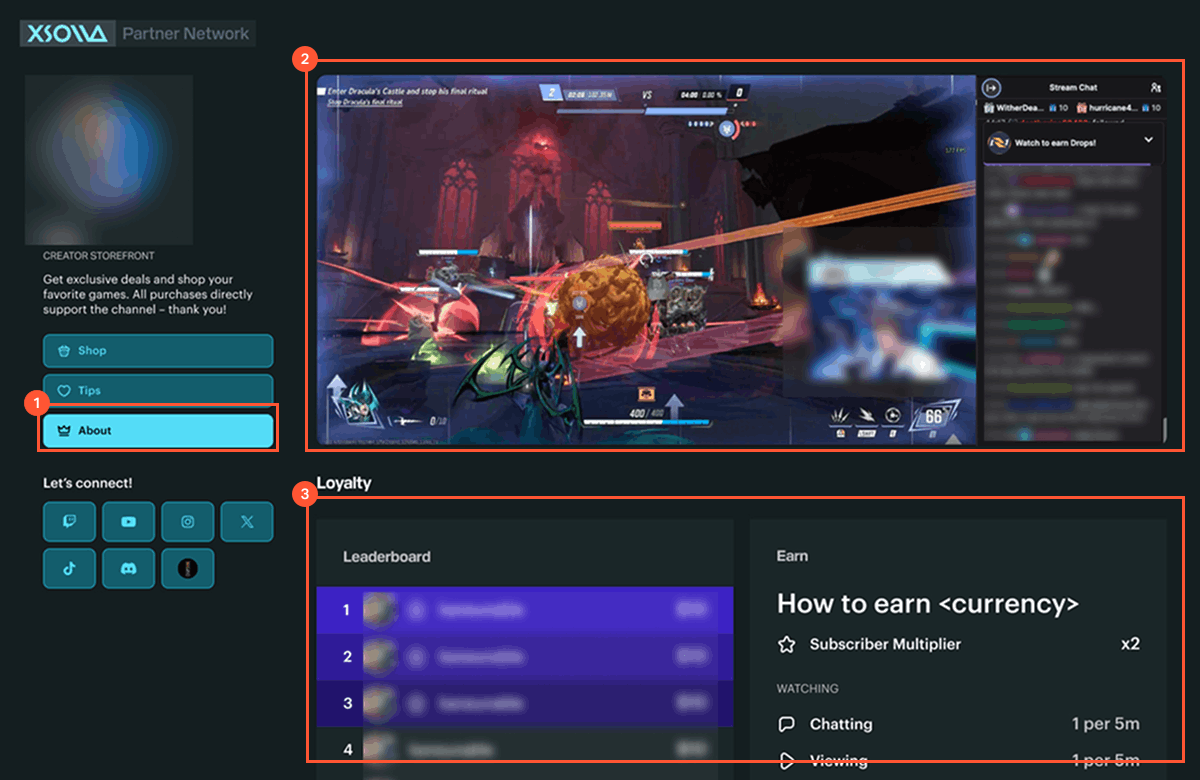
- About — the content blocks shown on your site (live stream, loyalty leaderboard, chat, and more).
- Profile — your bio and social media links.
You can find detailed information about the About and Profile sections below.
About
Turn on the toggles for content blocks that you want to display on your site:
- Live stream — embeds your Twitch stream and chat.
- Loyalty — shows your leaderboard and how viewers earn points.
- Chat commands — lists your channel’s chat commands (like
!rankor!quote) with descriptions that you can filter by category and permission level. - Quotes — shows quotes saved through Chatbot’s quotes feature.
Profile
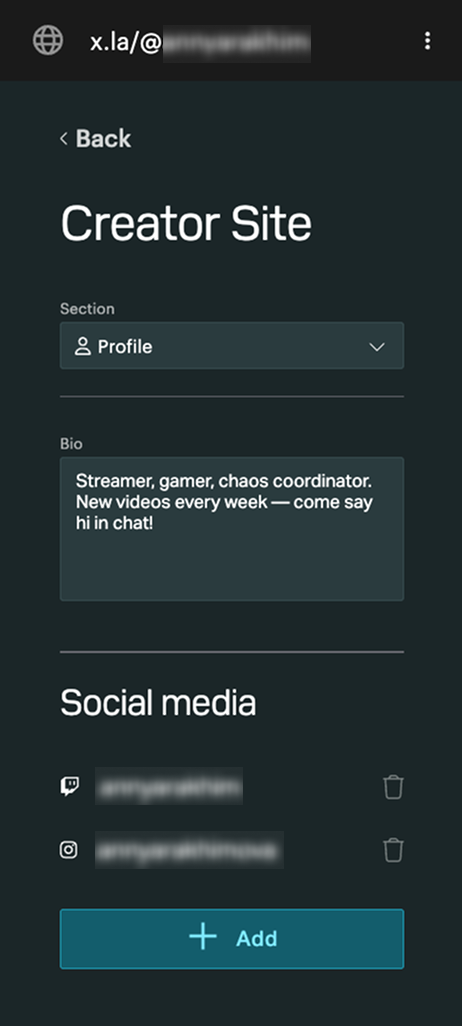
Manage the personal information visitors see on your site:
- Bio — a short text description of yourself.
- Social media — the accounts linked to your site. Click Add to add one, or the trash icon to remove one.
Was this article helpful?
Thank you for your feedback!
We’ll review your message and use it to help us improve your experience.Found a typo or other text error? Select the text and press Ctrl+Enter.
