How to delete game
Note
Once deleted, a game cannot be restored. You need to republish it
if you want to make it available again.
To remove access to the game and delete it:
- In your project in Publisher Account, go to the Distribution > Cloud Gaming section.
- In your project in the account, go to the Distribution > Cloud Gaming section.
- In your project in the account, go to the Distribution > Cloud Gaming section.
- In your project in the account, go to the Other tools > Cloud Gaming section.
- In the pane of your game, click Edit.
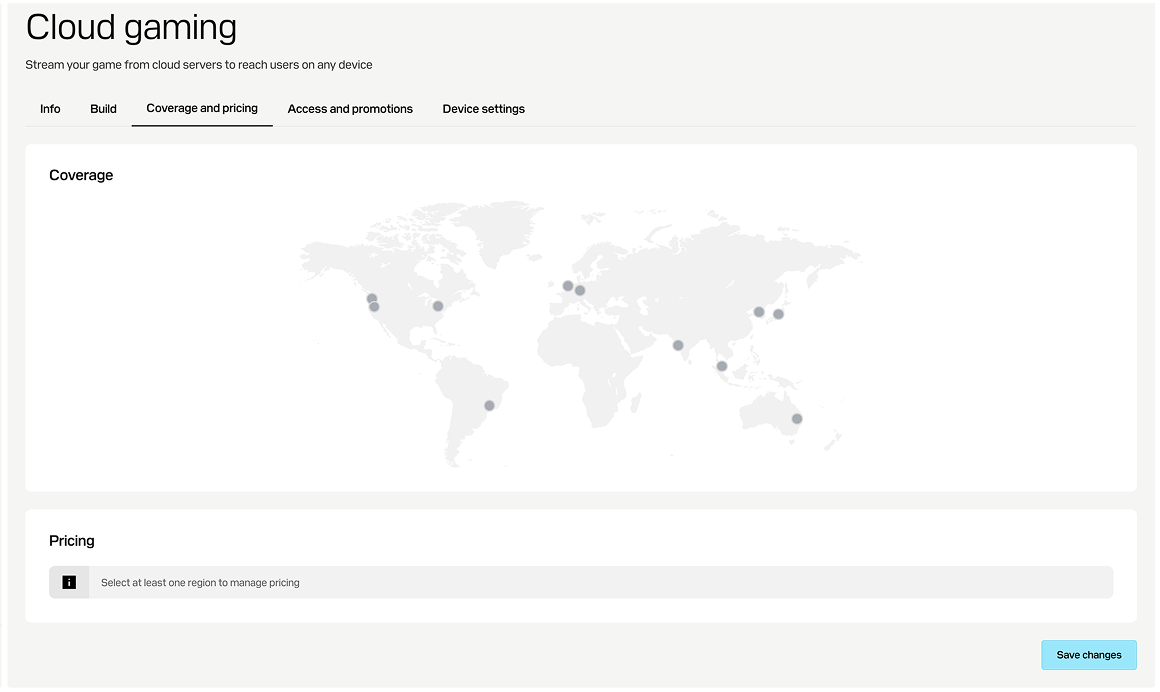
- Go to the Coverage and pricing section and make sure there are no added servers. If you have ones, click their dots on the map, unselect them, and save the changes.
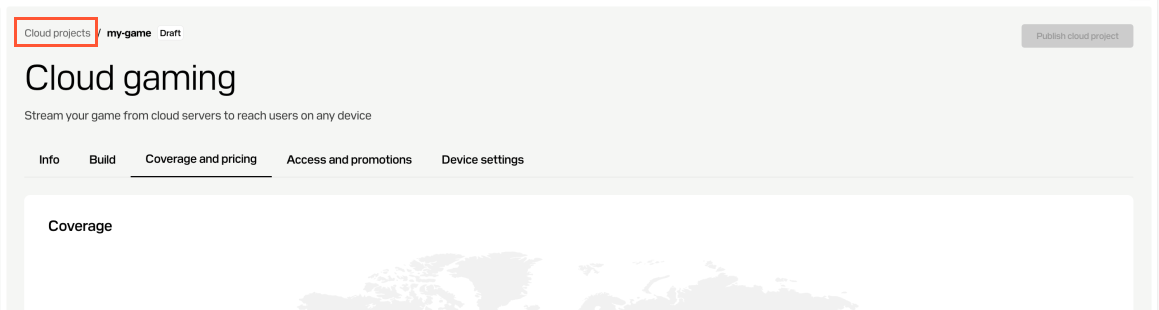
- Return to the list of your cloud gaming projects .
- Return to the list of your cloud gaming projects .
- Return to the list of your cloud gaming projects .
- Return to the list of your cloud gaming projects .
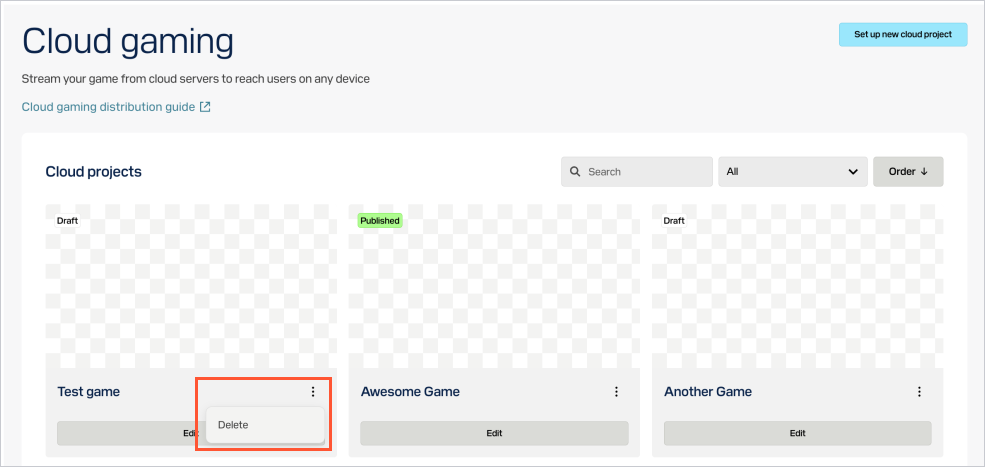
- In the game pane, click ⋮ and select
Delete . - Confirm the action.
Was this article helpful?
Thank you for your feedback!
We’ll review your message and use it to help us improve your experience.Found a typo or other text error? Select the text and press Ctrl+Enter.
