Test game in sandbox mode
Once your game moves to the Published status, you can test the gameplay via cloud streaming. You can launch a 5-minute test session to evaluate the user flow and game experience. The test launch will not require any purchase and blue orbs won’t be withdrawn from your balance.
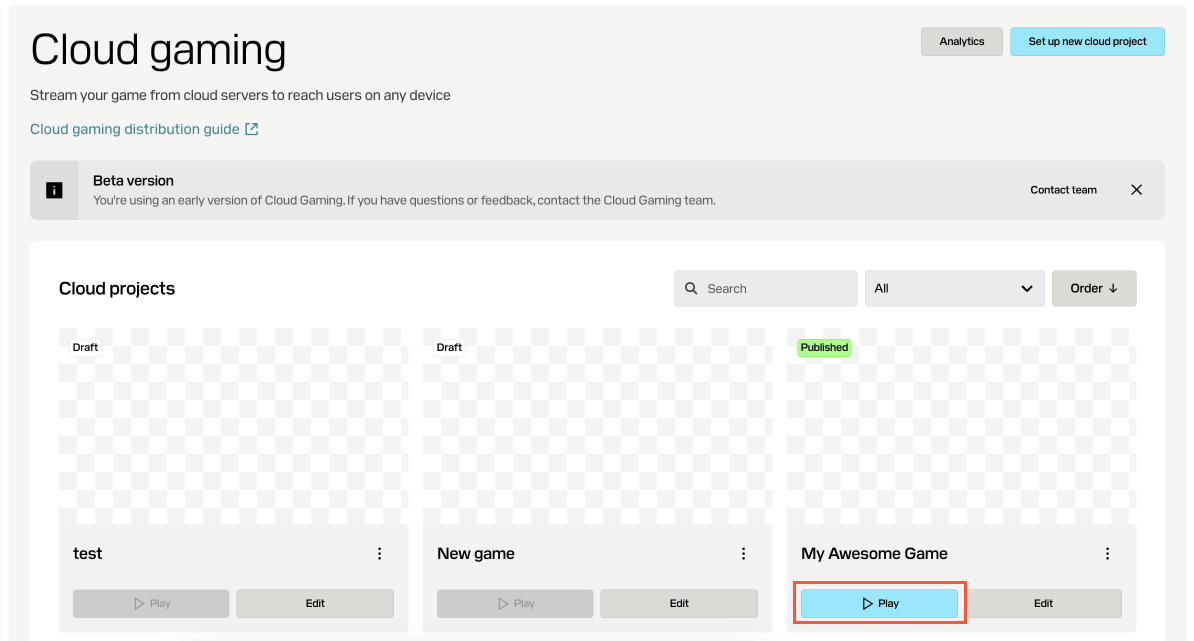
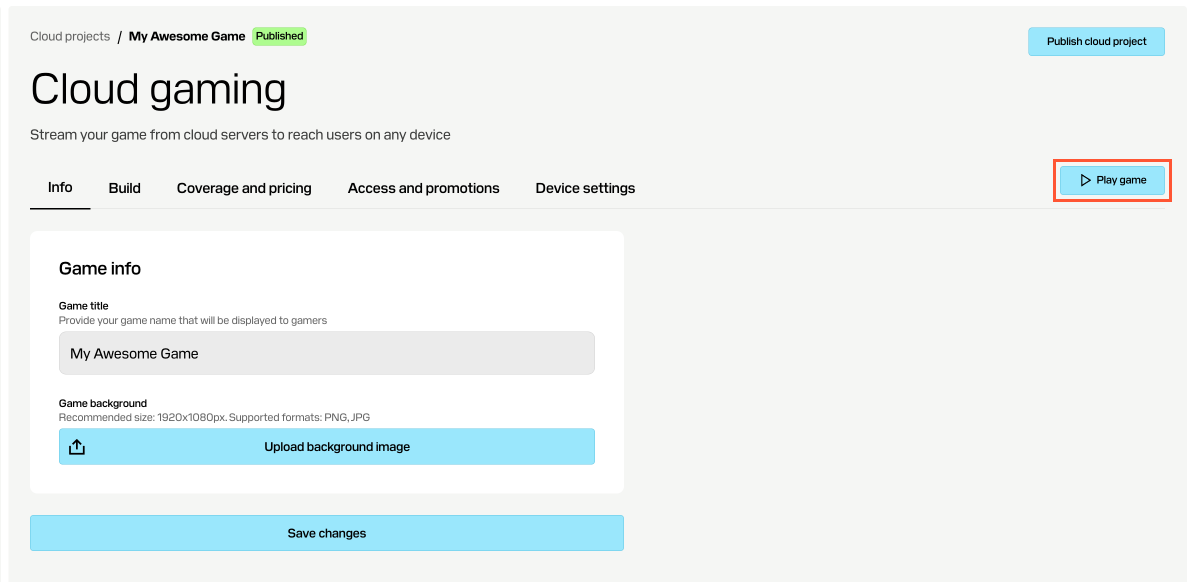
The link to your game’s sandbox environment is available in the following sections:
- On the main page with all your cloud gaming projects — you need to find the pane of your game and click Play.
- On the main page with all your cloud gaming projects — you need to find the pane of your game and click Play.
- On the main page with all your cloud gaming projects — you need to find the pane of your game and click Play.
- On the main page with all your cloud gaming projects — you need to find the pane of your game and click Play.
- On any tab of your game’s settings page — you need to click Play game.
Note
To test the game without time limitation, set up game distribution either with Xsolla site builder, or Xsolla game platform, and launch the game through the corresponding interface.
Was this article helpful?
Thank you for your feedback!
We’ll review your message and use it to help us improve your experience.Found a typo or other text error? Select the text and press Ctrl+Enter.
