
Managing item availability in catalog
You can control which items appear in your store by using item statuses and group visibility settings. This allows you to create exclusive items for bundles or items available only during specific marketing campaigns.
Item statuses
An item’s status determines its availability for direct purchase in the store. You can edit the status in the following ways:
- In Publisher Account in the Catalog > All items section.
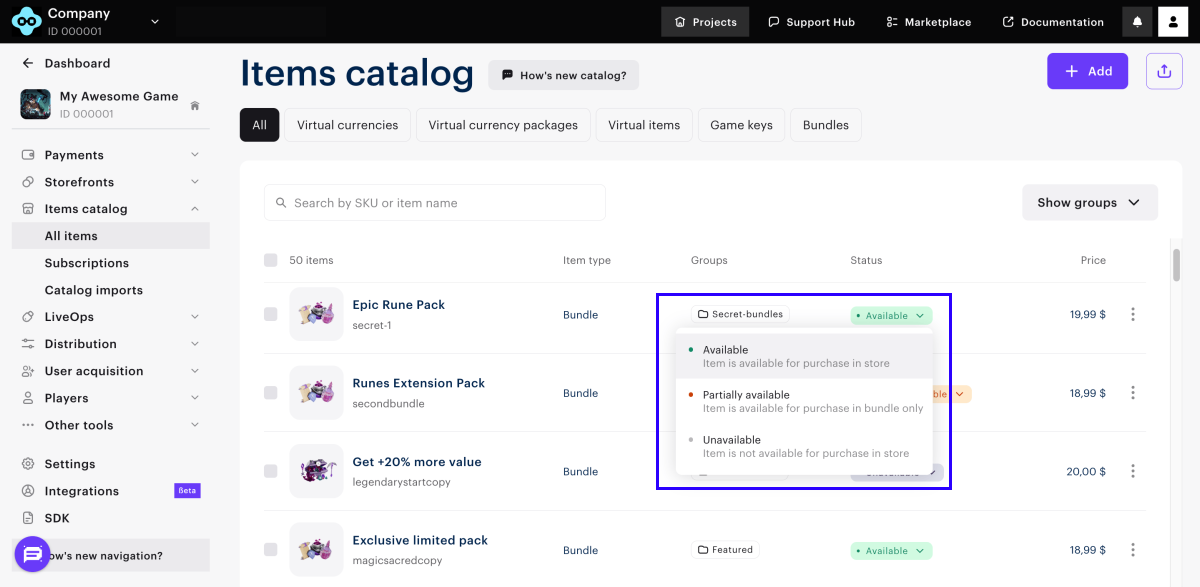
- When updating an item using the following API calls:
The table below shows how item statuses in Publisher Account map to API object parameters and how they affect item availability in the store, bundles, and marketing campaigns (coupons, promo codes, referral programs, reward chains, etc.):
| Item status in Publisher Account | API object parameters | Availability in catalog | Availability in bundles or marketing campaigns |
|---|---|---|---|
| Available. |
| Yes. | Yes. |
| Partially available. |
| No. | Yes. |
| Unavailable. |
| No. | No. |
If an item is available in the catalog:
- It appears in stores created with Xsolla site builder (e.g., Web Shop).
- It’s included in responses to client-side API calls that fetch catalog data (see endpoints under Common > Catalog, Virtual items and currency > Catalog, and Bundles > Catalog subsections).
Item group visibility in store
You can also hide an entire item group from the catalog without changing the visibility of each item individually. You can configure group visibility in Publisher Account in the Catalog > All items section when creating or editing a group.
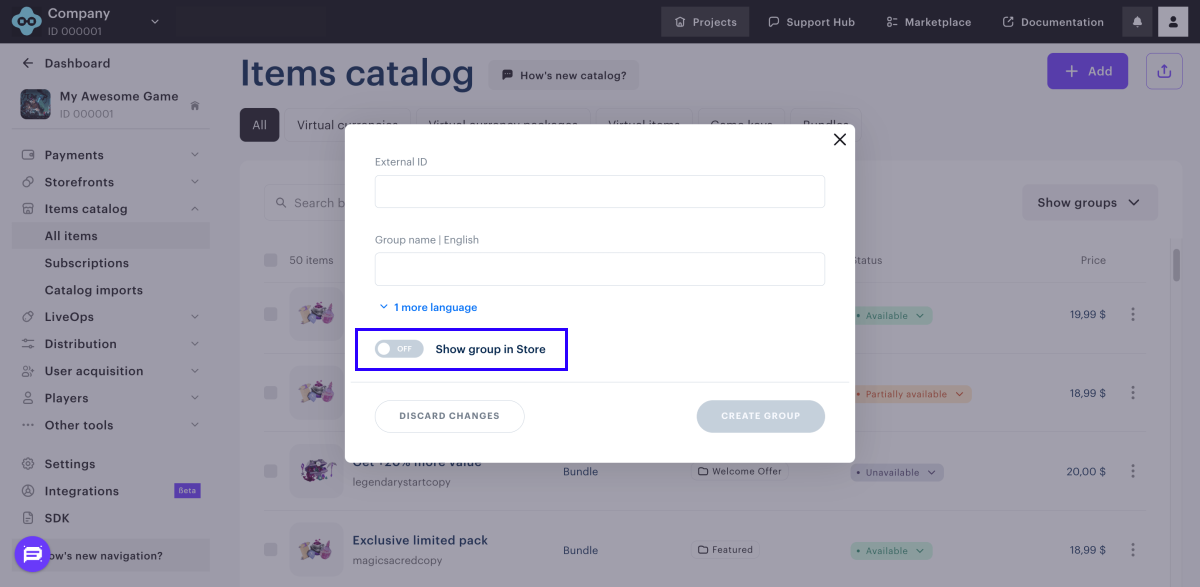
If the Show group in store toggle is turned Off:
- The group is hidden from stores created with Xsolla site builder (e.g., Web Shop).
- The Get item groups API call doesn’t return this group.
- API calls for fetching items in a specific group (e.g., the Get virtual items by group API call) return an error.
- When fetching item data (e.g., using the Get sellable item by SKU API call), the
groupsobject in the response doesn’t include hidden groups.
Group visibility and item statuses work independently:
- You can fetch data for items in a hidden group using API calls that don’t require a group parameter (e.g., the Get sellable item by SKU and Get all virtual items API calls).
- If an item belongs to multiple groups, hiding one group doesn’t affect its visibility in the others.
Found a typo or other text error? Select the text and press Ctrl+Enter.
