Collectibles
How it works
Collectibles are virtual items that users can purchase or receive according to the game logic, as well as gift to each other. An item can be paid or free. For each item, you can set a limit on the quantity that one user can purchase or receive.
In the Items catalog > Collectibles section, you can create, edit, and delete collectibles.
How to set it up
Open your project in the account and go to the Items catalog > Collectibles section.
Click Create collectible.
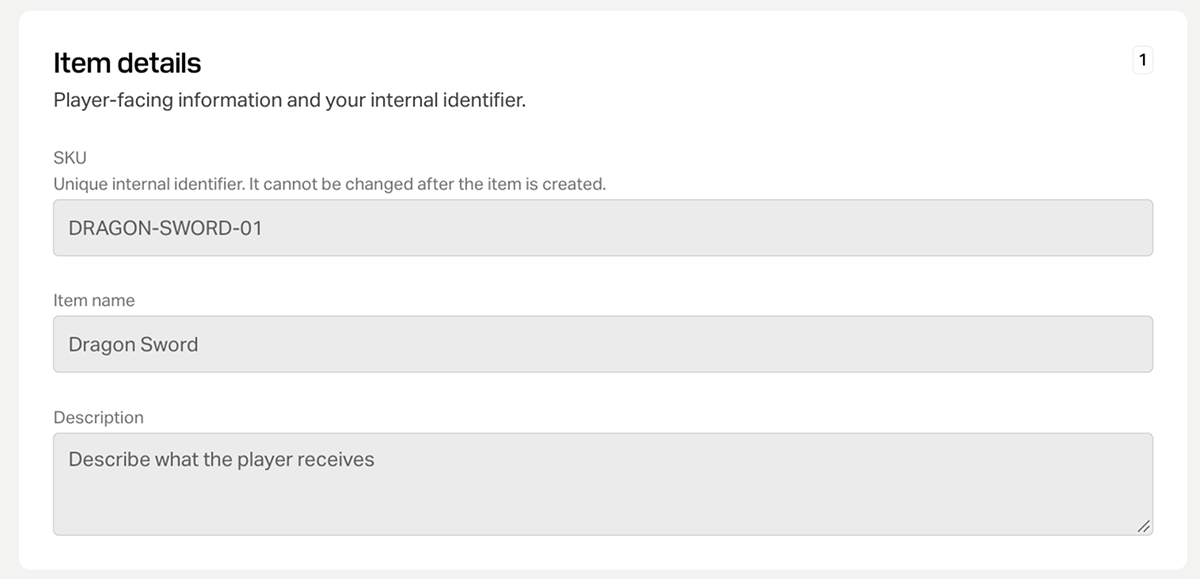
In the Item details section, specify the following:
- SKU
- Item name
- Short description
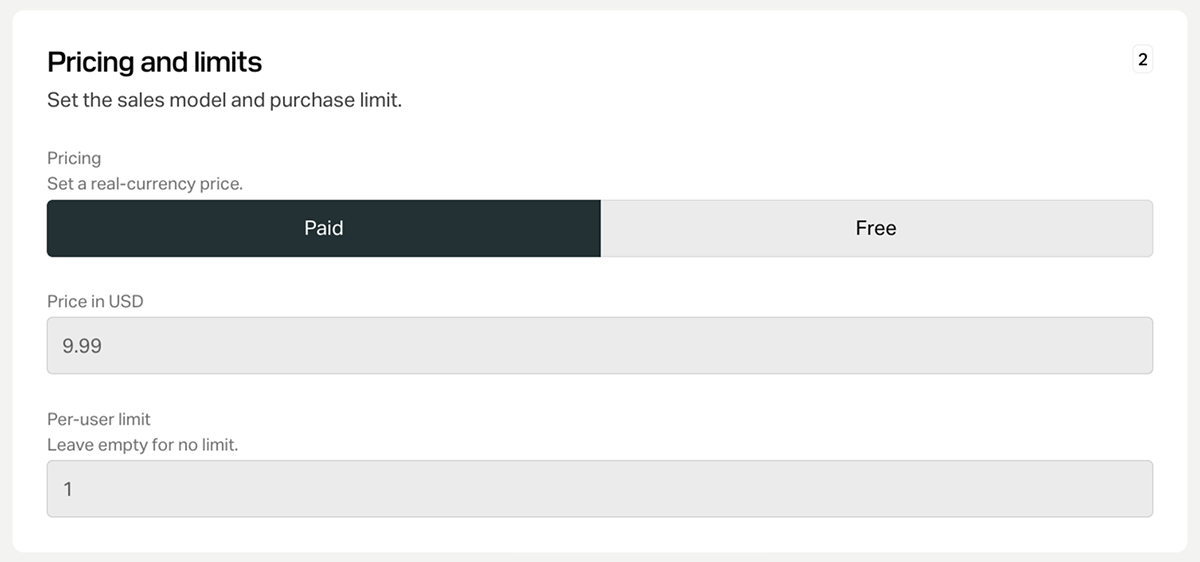
In the Pricing and limits section, set a price or create a free item:
- To set a price, select Paid and specify the price in USD. At checkout, the price is automatically converted into the user’s currency.
- To create a free item, select Free.
To limit the number of items available for purchase or for free, specify the required number in the Per-user limit field.
- Click Add to catalog.
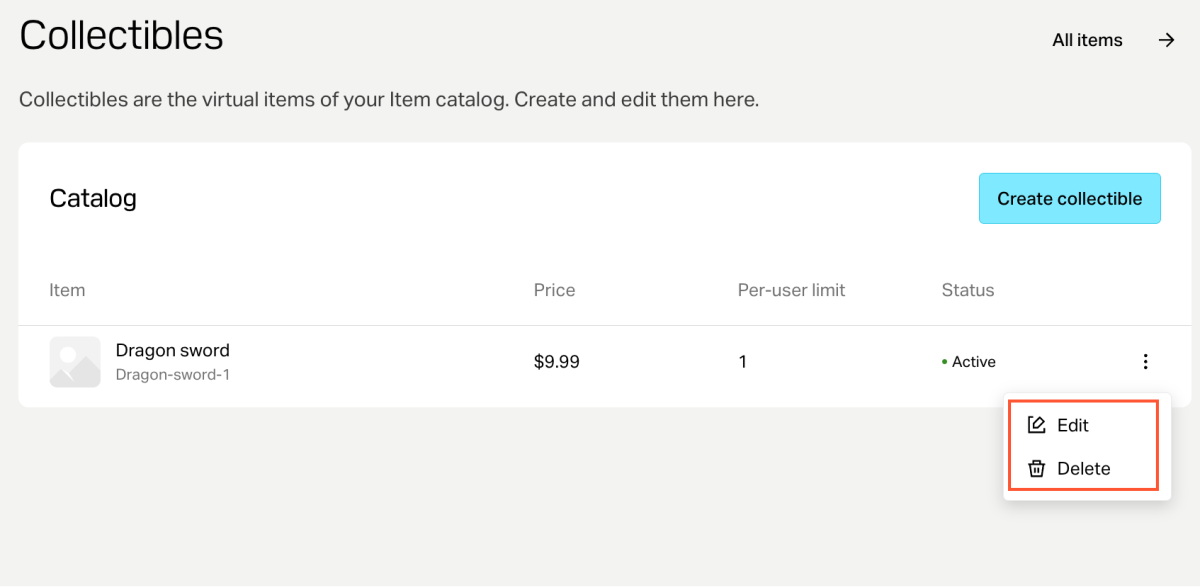
The created item will appear in the Items catalog > Collectibles section.
To edit or delete an item, click ⋮ in the row of the item and select the required action from the drop-down list.
Found a typo or other text error? Select the text and press Ctrl+Enter.
