Create branded store
Note
The feature is available only after the technical integration is completed.
Integration into Xsolla gives you an opportunity to grow your user base with a branded store. Such a store is based on Xsolla Mall and includes a catalog of games that Xsolla works with. In this store, users make purchases with your payment method.
To create a store:
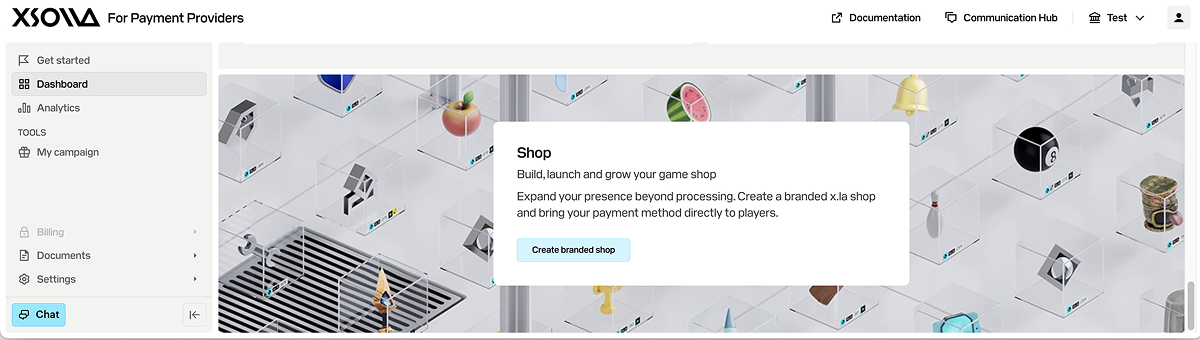
- In the account for payment providers, go to the company dashboard.
- In the Shop block, click Create branded shop.
- In the window that opens, click Request branded shop.
The Xsolla Mall team will receive your request and email you further instructions.
Was this article helpful?
Thank you for your feedback!
We’ll review your message and use it to help us improve your experience.Found a typo or other text error? Select the text and press Ctrl+Enter.
