Launch marketing campaign
Marketing campaigns help you promote your payment method among game developers and increase your user base.
Note
The feature is available only after the technical integration is completed.
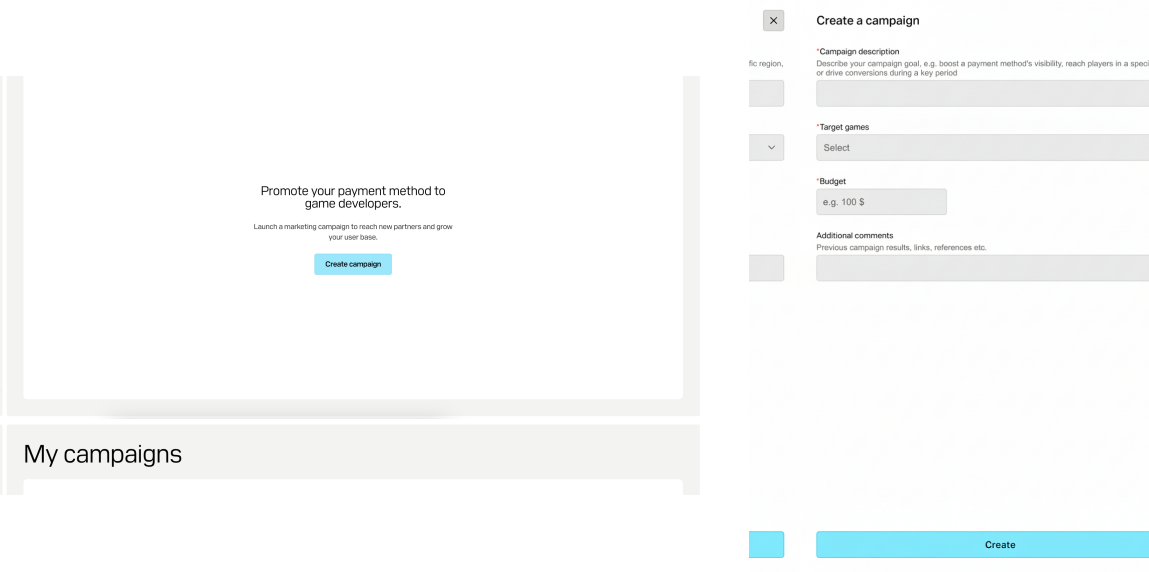
To launch a marketing campaign:
- In the account for payment providers, go to the My campaign section.
- Click Create campaign.
- Specify the following information:
- Campaign description and goal.
- In the drop-down list, select the target games. The list shows games where purchases were made using the payment methods you support.
- Campaign budget.
- Any other additional information, e.g., results of your previous campaigns.
- Click Create.
The Xsolla marketing campaigns team will review your application and email you further instructions.
Was this article helpful?
Thank you for your feedback!
We’ll review your message and use it to help us improve your experience.Found a typo or other text error? Select the text and press Ctrl+Enter.
