Add payment methods
You need to provide Xsolla with information about supported payment methods. To do this:
- Go to the main company page.
- In the block with payment methods settings, click Add payment method.
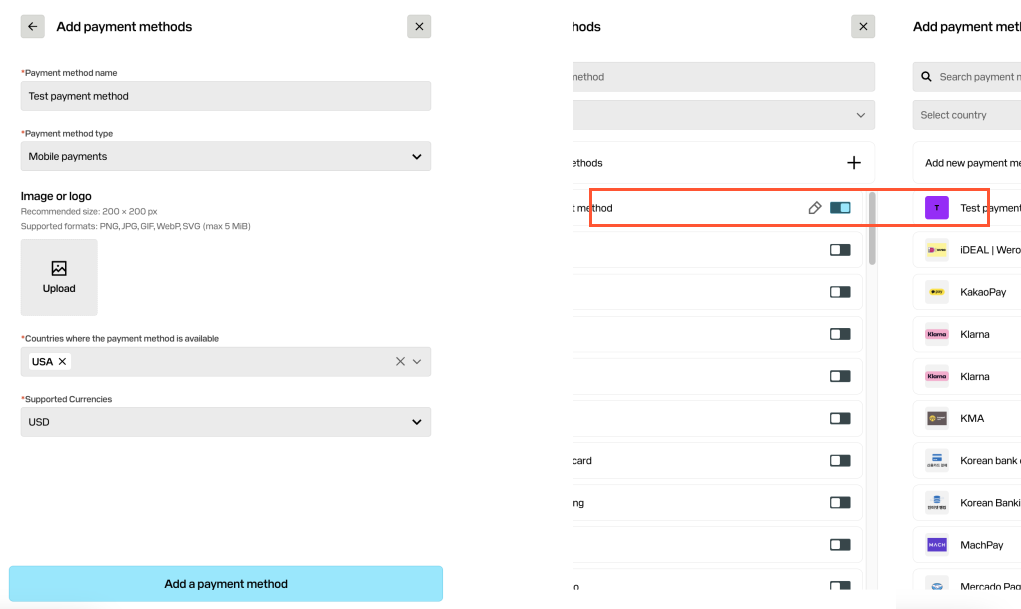
- In the page that opens, turn on the toggles next to the necessary payment methods. If some payment methods are not in the list, add them manually. To do this:
- Click Add new payment methods.
- Specify the name.
- Select the payment method type.
- Upload the logo (optional).
- Select countries where this payment method is available.
- Select the supported currency.
- Click Add a payment method. The added method will be displayed in the general list and you will be able to turn on the toggle.
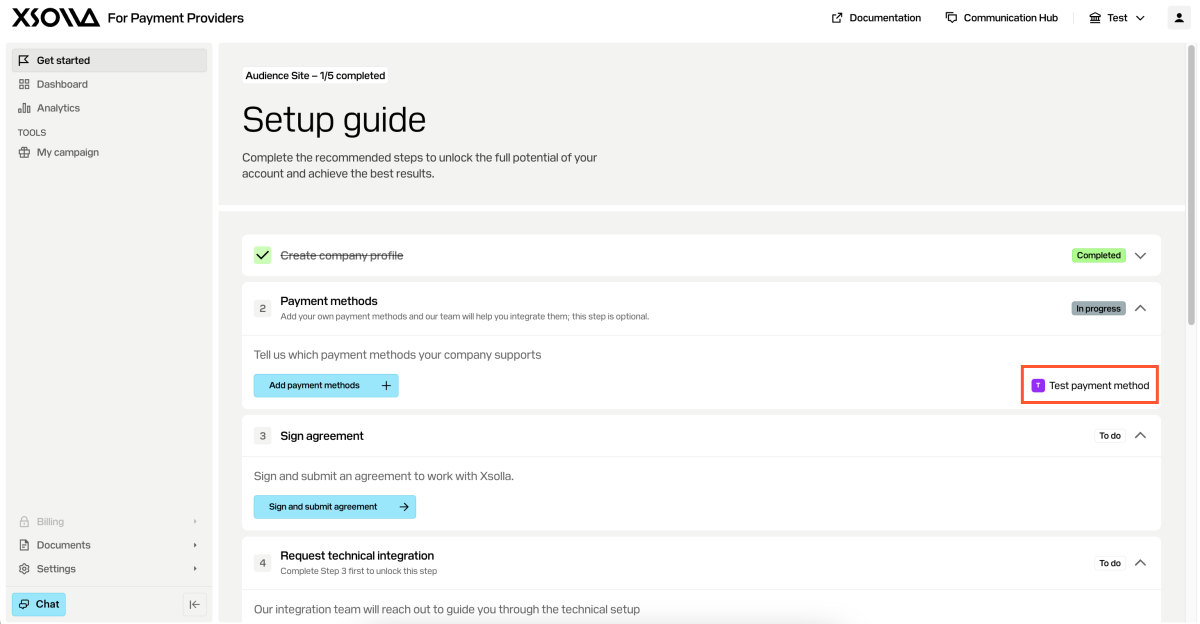
The selected payment methods are displayed on the main company page. You can update this list at any integration step.
Was this article helpful?
Thank you for your feedback!
We’ll review your message and use it to help us improve your experience.Found a typo or other text error? Select the text and press Ctrl+Enter.
