Error occurred running Unity content on page of WebGL build
Note
This page is no longer maintained and may contain outdated information. Use search or the AI assistant to find up-to-date content.
Issue description
The issue appears in some cases when logging in to a WebGL build. The following error message is displayed:
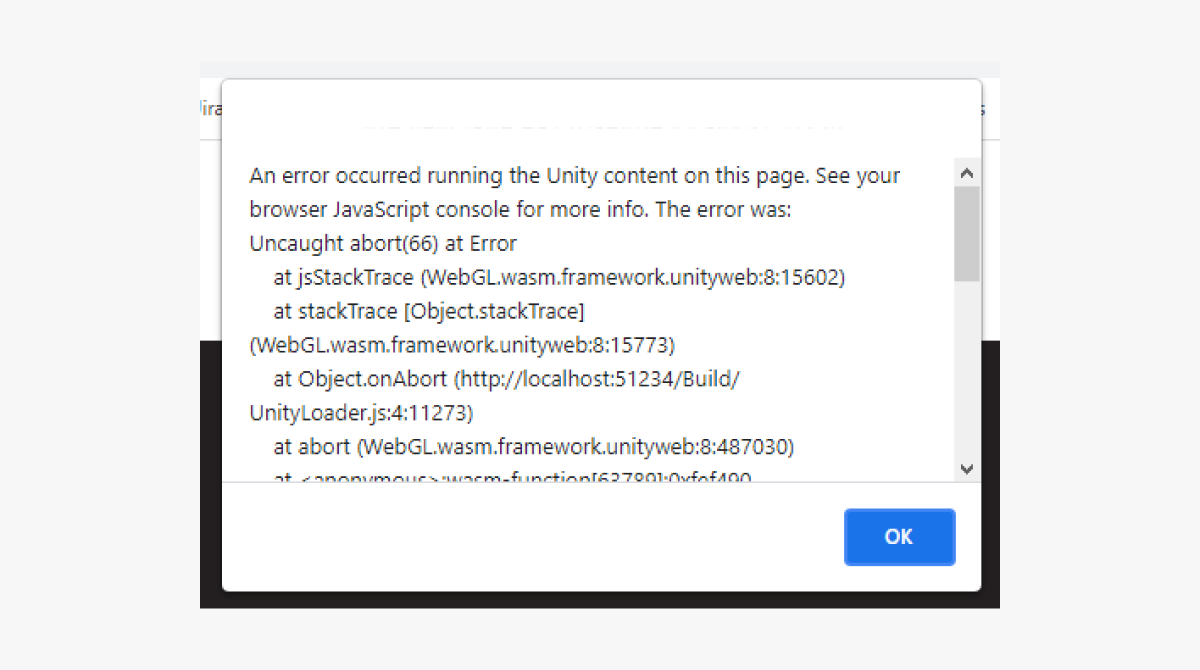
The problem occurs because the IL2CPP compiler is used when building in WebGL. It optimizes the project and removes unused code from libraries. The compiler cannot correctly determine whether a module, class, or method is being used in a project if reflection is used to retrieve objects. The problem is described in more detail in the Unity documentation.
Issue status: Can’t be fixed on the SDK side.
Workaround
- Open Unity project.
- In the main menu, go to
Edit > Project Settings . - In the
Player section, go to the WebGL build settings tab. - Go to the
Other Settings section. - Uncheck
Strip engine code box. - Go to the
Publishing Settings section. - Check the
Decompression Fallback box. - Create a new WebGL build.
Was this article helpful?
Thank you for your feedback!
We’ll review your message and use it to help us improve your experience.Found a typo or other text error? Select the text and press Ctrl+Enter.
