
Quick start
The express scenario allows you to create a Web Shop starter configuration without manual setup, using data from the game’s App Store page. This enables you to evaluate the appearance, structure, and usability before connecting a real item catalog.
Make sure you have created a project in Publisher Account.
If your project already has a website created with the Web Shop template, the express scenario steps for creating a Web Shop won’t be available. Instead, you can customize the existing Web Shop and proceed directly to configuring the item catalog.
- Open your project in Publisher Account.
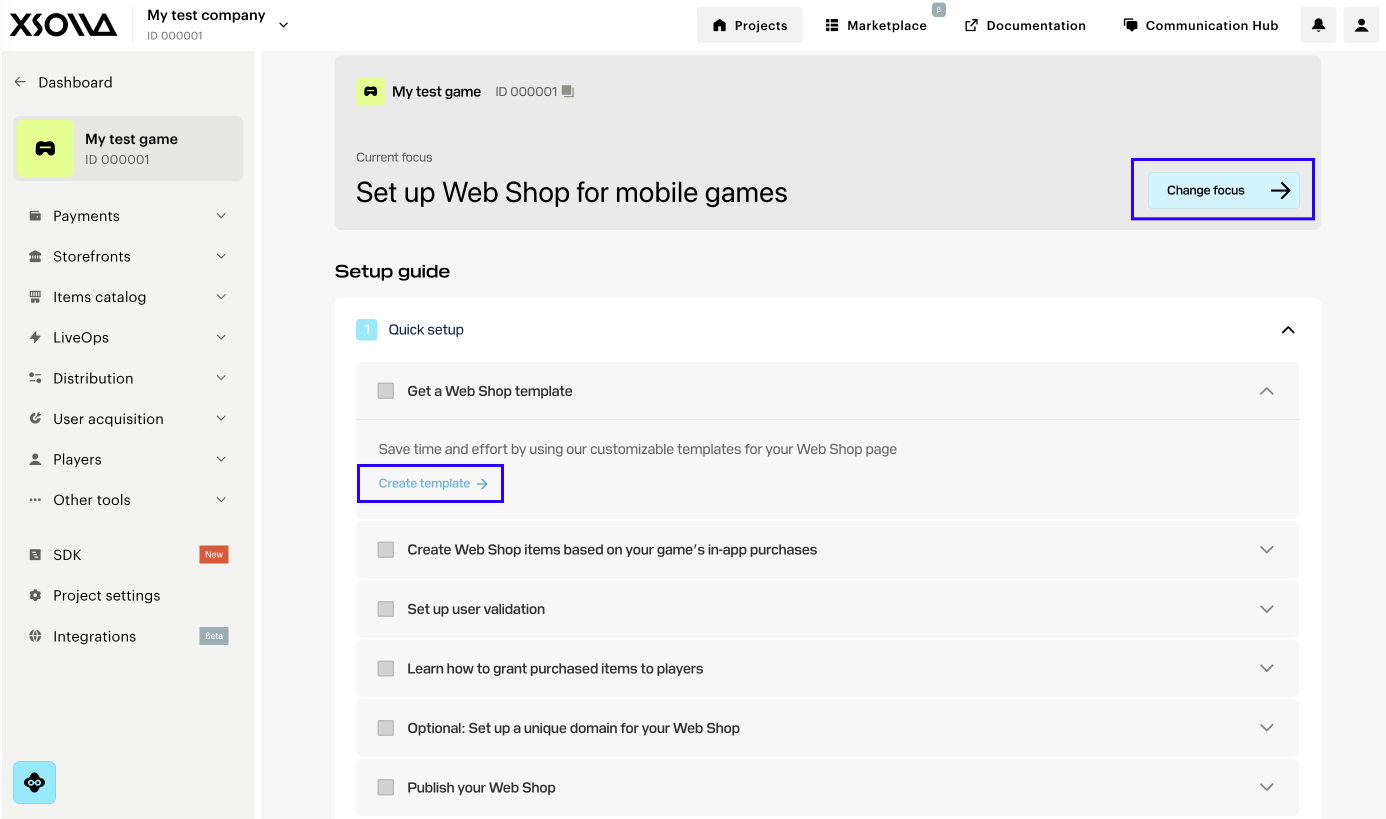
- On the main project page, click Change focus and select Set up Web Shop for mobile games.
- On the Create Web Shop template step, click Create template.
- Select the Web Shop type:
- Single-page store — a simplified Web Shop format. Suitable if you need to minimize the user journey to purchase and launch the store as quickly as possible.
- Multi-page web portal — an advanced Web Shop format that allows you build a full-featured platform for player engagement. Suitable for working with content (news, rewards), as well as in-game traffic acquisition scenarios. You can direct users to content pages without direct item sales, complying with platform requirements, and then encourage purchases within Web Shop.
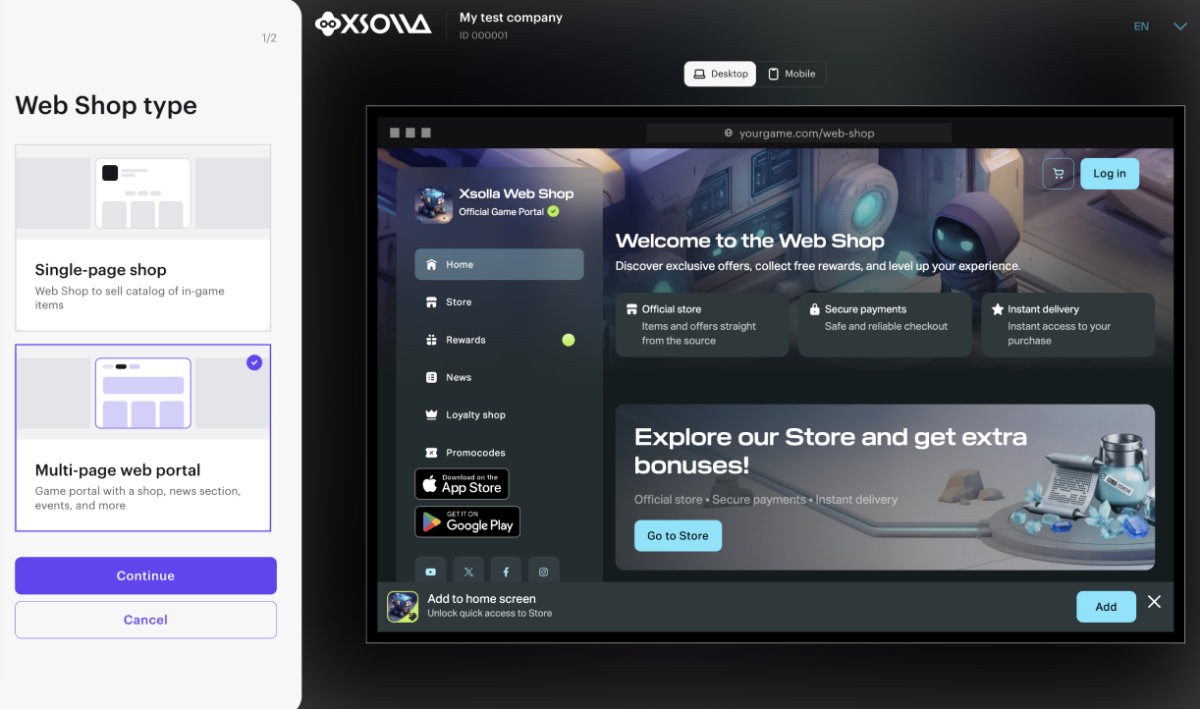
- Click Continue.
- On the Express tab, add a link to your game in App Store. The information from your game’s App Store page is used to generate items, images, and other Web Shop content in your game’s style.
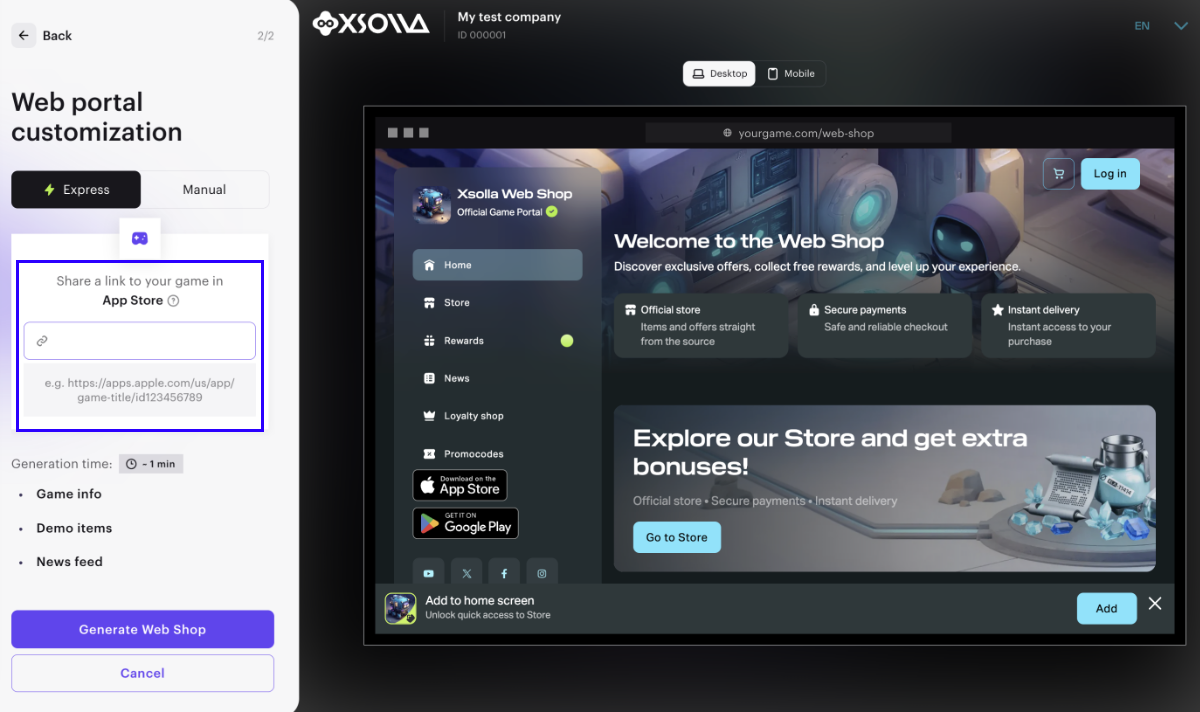
- Click Create Web Shop.
- a site with a color scheme matching the game
- item cards and banners
- reward systems (reward chains, daily rewards)
- demo news articles
Once Web Shop is successfully created, click Continue setup to return to the focus settings and proceed to the next step.
The express scenario creates only a preliminary version of the store. To prepare Web Shop for launch, configure:
- user authentication
- item catalog
- LiveOps and promotion tools
- main blocks and additional blocks
- webhook handling
Once configured, test and publish the site.
Found a typo or other text error? Select the text and press Ctrl+Enter.
