
Offerwall
How it works
Offerwall is a page featuring various paid ads and offers that reward users with free virtual currency for completing certain tasks (e.g., earn 1000 coins for reaching level 11). The Offerwall functions as a marketplace connecting advertisers, game publishers, and their users.
The quests or offers are paid placements from advertisers — both gaming and non-gaming — who pay based on performance or engagement. Gaming advertisers typically use these quests for user acquisition, while non-gaming advertisers run cost-per-acquisition (CPA) campaigns and pay for actions such as app downloads, account sign-ups, or other purchases.
When you agree to integrate the Offerwall into your game (either in-app or via your Web Shop), you set the currency exchange rate through a webhook integration (X USD = Y units of game-specific currency). Once a quest is completed, the advertiser pays Xsolla the gross amount, which is then shared with the game publisher according to a revenue-sharing model.
How to get it
- Complete the prerequisites.
- Attract users to your Offerwall page:
- By providing them with a link to the Offerwall in your website/app.
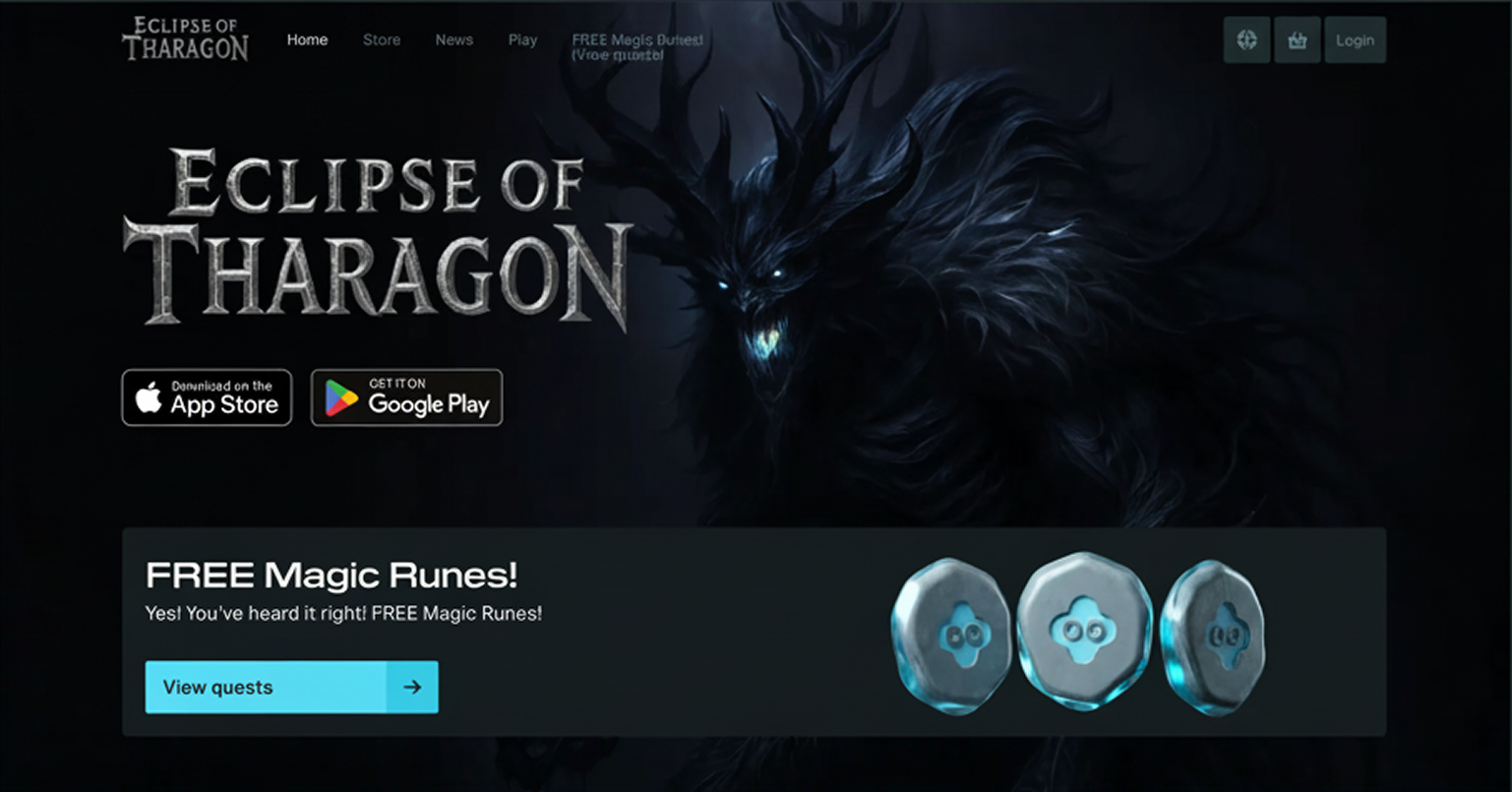
- By adding an Offerwall block to your Web Shop. An Offerwall block in Web Shop allows you to attract users to your Offerwall page by displaying call-to-action banners, informing your community that the Offerwall is live, and highlighting personalized rewards.
Prerequisites
- Set up webhooks to validate users and reward them with virtual currency:
- Configure handling for the following webhooks:
- User validation. Xsolla sends this webhook to verify that a user is registered in the game. The request is sent multiple times as part of the rewarding/payment process.
- Configure handling for the following webhooks:
- json
 1{
 2  "notification_type": "user_validation",
 3  "settings": {
 4    "project_id": 123456,
 5    "merchant_id": 789012
 6  },
 7  "user": {
 8    "id": "11111111-1111-1111-1111-111111111111"
 9  }
10}
- Successful payment for order (with payment and transaction details). Xsolla sends this webhook when a user completes an offer. In the example response below, the user is rewarded with 100 gold coins. The player ID is passed as a query parameter in the URL of the Offerwall page.
- json
 1{
 2  "user": {
 3    "email": "noreply+offewall@xsolla.com",
 4    "country": "US",
 5    "external_id": "11111111-1111-1111-1111-111111111111"
 6  },
 7  "items": [
 8    {
 9      "sku": "GOLD_COINS",
10      "type": "virtual_currency",
11      "amount": "0.01",
12      "quantity": 100,
13      "promotions": [],
14      "is_pre_order": false
15    }
16  ]
17}
How to add block to site built with Xsolla site builder
To add an Offerwall block:
- Open the project in Publisher Account and go to the Storefronts > Websites section.
- In the Sites section, select your site and click Open Site Builder.
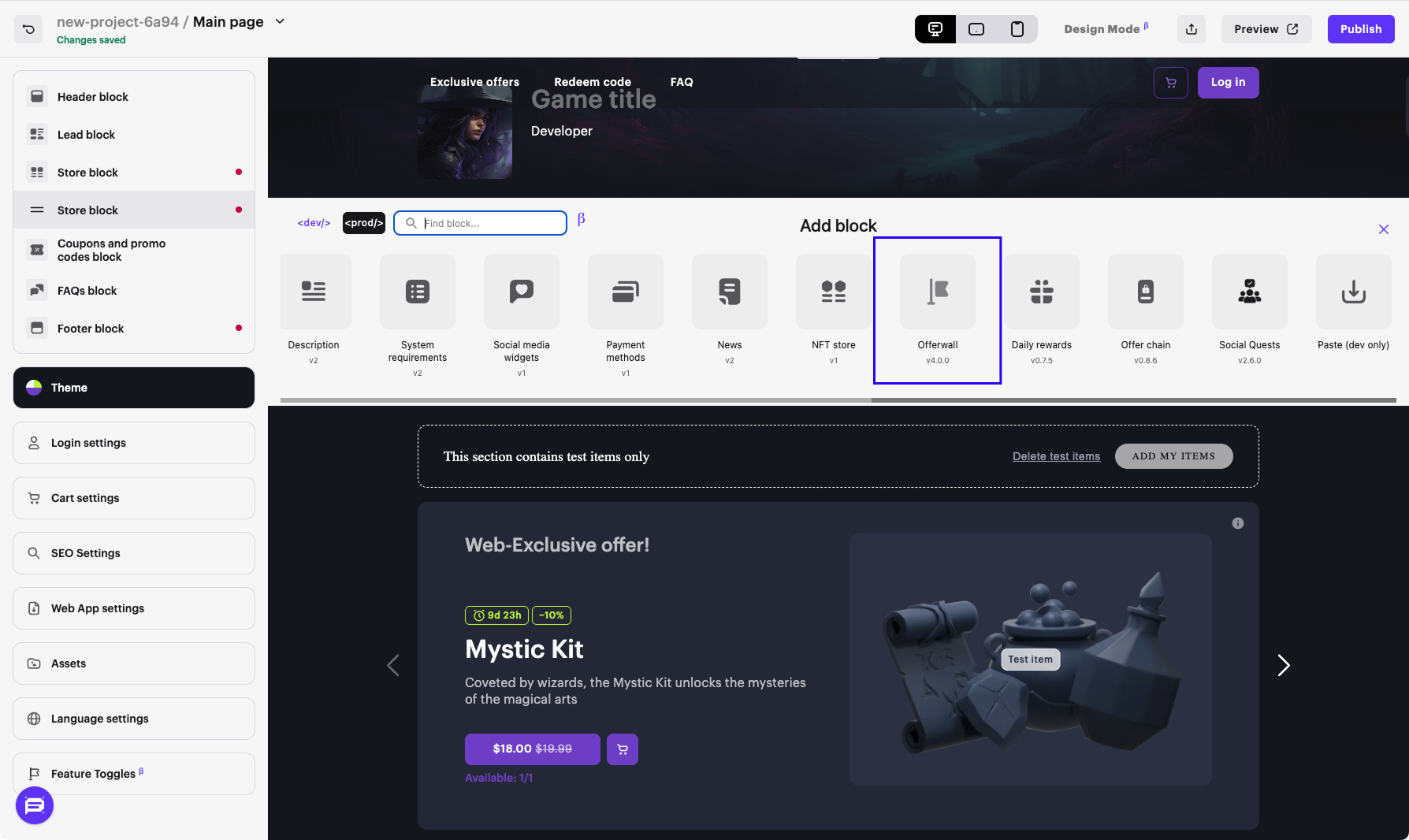
- Click Add block.
- Select the Offerwall block.
- Customize the block (optional):
- Configure the block layout.
- Select the background color and image.
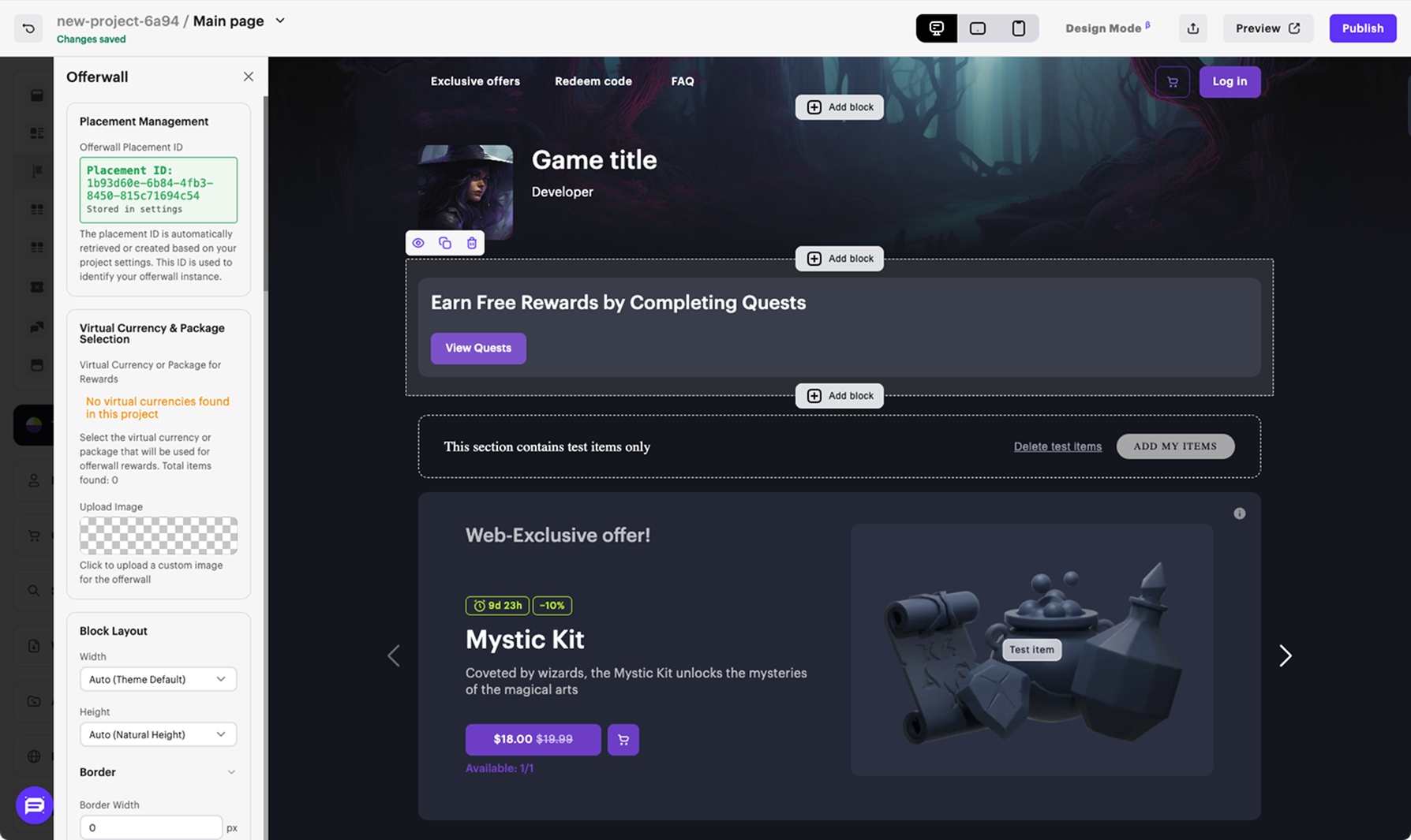
- Configure a button.
- Configure a header.
- Earn free coins now!
- Unlock premium content at no cost!
- Complete a quest and get rewarded!
How to provide users with Offerwall link
You can provide users with a direct link to the Offerwall, for example:
- An upsell image in the in-app purchase shop.
- A marketing message in the app feed or main menu (e.g., “Earn Free Coins!”).
- A push notification (with user consent) leading to an in-app Offerwall page.
GAMER_IDis the in-game user ID unique to your app, Xsolla supports any simple alphanumeric string. We recommend using the UUID format.PLACEMENT_IDis the placement ID driving the traffic, which also indicates the app from which the user is coming.
1http://quests.xsolla.com/offerwall/<PLACEMENT_ID>?gamer_id=<GAMER_ID>
Found a typo or other text error? Select the text and press Ctrl+Enter.
