快速开始
快速开始 - Android
集成 艾克索拉 Mobile SDK 并完成首笔测试支付。本指南使用预配置的测试凭证,几分钟内即可快速上手。
开始使用
确保项目目标平台为 Android 7.0+ (minSdk 24),然后添加 Maven Central 和 艾克索拉 Mobile SDK 依赖:
// settings.gradle
repositories {
    mavenCentral()

    maven {
        url = uri("https://raw.githubusercontent.com/xsolla/xsolla-sdk-android/main")
    }
}
// build.gradle
dependencies {
    def version_mobilesdk = '<version>'
    implementation "com.xsolla.android:mobile:$version_mobilesdk"
}
更多配置选项,参见安装详情。
身份认证
将以下内容添加到 Activity 的 onCreate():
import com.xsolla.android.mobile.*;

@Nullable
private BillingClient mBillingClient;

final Config.Common configCommon = Config.Common.getDefault()
    .withDebugEnabled(true)
    .withLogLevel(LogLevel.VERBOSE)
    .withSandboxEnabled(true);

final Config.Integration configIntegration = Config.Integration.forXsolla(
    Config.Integration.Xsolla.Authentication.forAutoJWT(
        ProjectId.parse(301871).getRightOrThrow(),  // Test project
        LoginUuid.parse("dfcb133b-6d0b-4937-b8d2-c4f4d58fb53a").getRightOrThrow()  // Test login ID
    )
);

final Config config = new Config(
    configCommon,
    configIntegration,
    Config.Payments.getDefault(),
    Config.Analytics.getDefault()
);

// Inside onCreate(), after creating Config:
mBillingClient = BillingClient.newBuilder(this)
    .setConfig(config)
    .setListener((billingResult, purchases) -> {
        // Handle purchase completion — see Finalize Purchase
    })
    .build();

mBillingClient.startConnection(new BillingClientStateListener() {
    @Override
    public void onBillingServiceDisconnected() {
        Log.d(TAG, "Disconnected from Xsolla services.");
    }

    @Override
    public void onBillingSetupFinished(@NonNull final BillingResult billingResult) {
        if (!billingResult.isSuccess()) {
            Log.e(TAG, "Connection failed: " + billingResult.getResponseCode());
            return;
        }
    }
});
该代码使用 AutoJWT 身份认证、沙盒模式和调试日志创建 Config,随后初始化 BillingClient 并连接艾克索拉服务。在生产环境中,请将测试项目 ID 和登录管理器 ID 替换为发布商帐户中您自己的对应 ID。高级选项请参见配置文档。
important
如果您使用自己的项目 ID/登录管理器 ID,请确保在项目中启用设备 ID 登录。启用方法请参见:https://developers.xsolla.com/sdk/publisher-account/login#enable-device-id-login-in-publisher-account
加载商品目录
建立连接后查询商品目录:
mBillingClient.queryProductDetailsAsync(
    QueryProductDetailsParams.newBuilder()
        .setProductList(Arrays.asList(
            QueryProductDetailsParams.Product.newBuilder()
                .setProductId("money.100")  // Test product SKU
                .setProductType(BillingClient.ProductType.INAPP)
                .build()
        ))
        .build(),
    (result, productDetailsList) -> {
        // Launch purchase — see Purchase Product
    }
);
该代码会从商品目录中加载商品 key_1。重连处理与高级选项请参见初始化文档。
购买商品
使用商品目录查询返回的商品详情发起购买:
// Inside productDetails callback (from Load Catalog):
if (billingResult.isSuccess() &&
    productDetailsList != null && !productDetailsList.isEmpty()) {

    mBillingClient.launchBillingFlow(
        activity,  // Your Activity reference
        BillingFlowParams.newBuilder()
            .setProductDetailsParamsList(Arrays.asList(
                BillingFlowParams.ProductDetailsParams.newBuilder()
                    .setProductDetails(productDetailsList.get(0))
                    .build()
            ))
            .build()
    );
} else {
    Log.e(TAG, "No products available: " + billingResult.getResponseCode());
}
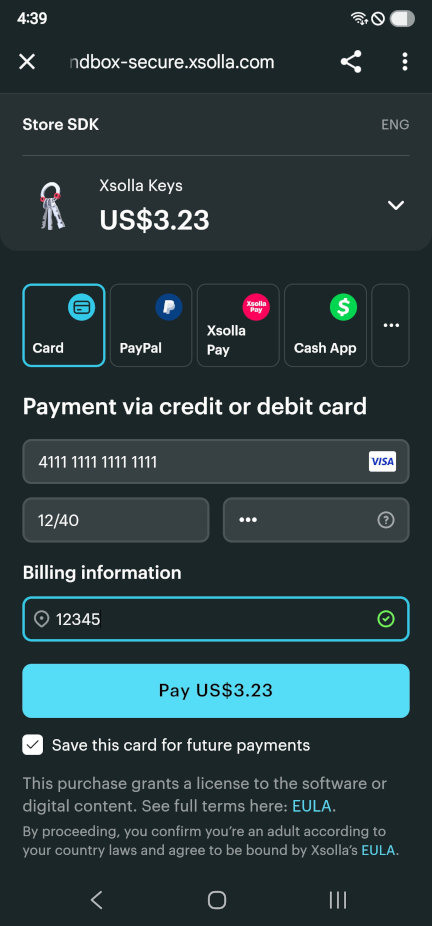
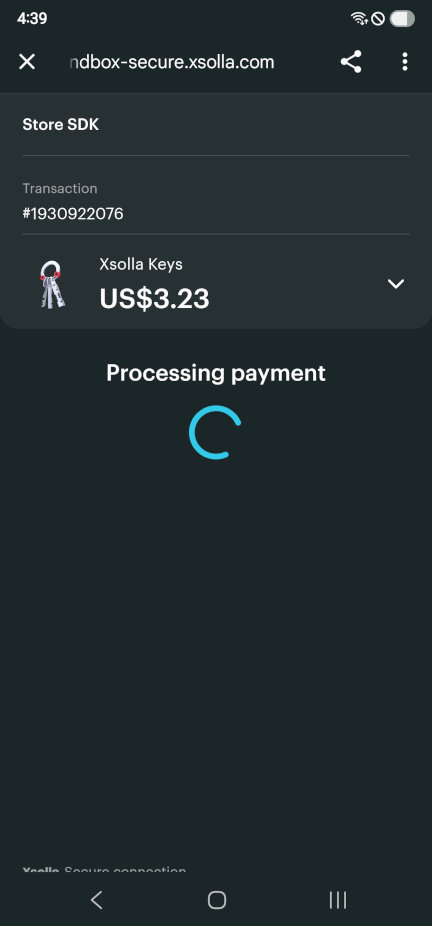
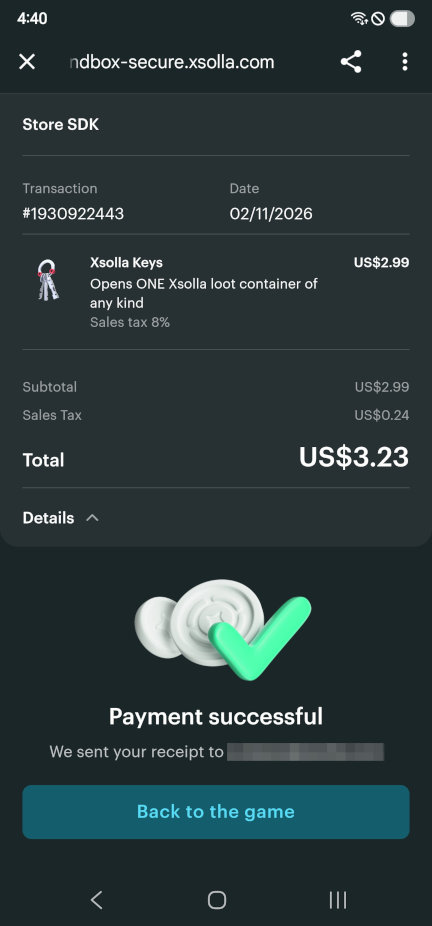
这将打开艾克索拉支付收银台,用户在其中完成支付。测试时,请使用测试银行卡 ↗:
完成购买
购买完成后,对该笔购买执行消费处理,并向用户发放商品:
// Inside onPurchasesUpdated callback:
if (billingResult.isSuccess() && purchases != null) {
    for (Purchase purchase : purchases) {
        mBillingClient.consumeAsync(
            ConsumeParams.newBuilder()
                .setPurchaseToken(purchase.getPurchaseToken())
                .build(),
            (result, purchaseToken) -> {
                if (result.isSuccess()) {
                    Log.d(TAG, "Purchase consumed - award item to user");
                    // Award the product (virtual item) to the user here
                } else {
                    Log.e(TAG, "Consumption failed: " + result.getResponseCode());
                }
            }
        );
    }
} else {
    Log.e(TAG, "Purchase failed or cancelled: " + billingResult.getResponseCode());
}
该操作对该笔购买执行消费处理,以便向用户发放所购商品(虚拟物品)。错误场景和高级选项请参见购买流程文档。
下一步
您已完成完整的支付集成,涵盖身份认证、商品目录加载、购买流程与履约。应用现可在 200+ 个国家/地区接入 1000+ 种支付方式。