PUBLISHER ACCOUNT
Finding Your Project IDs
Locate your Project ID and Login ID in the Publisher Account — you'll need both to initialize the SDK.
WHERE TO FIND THEM
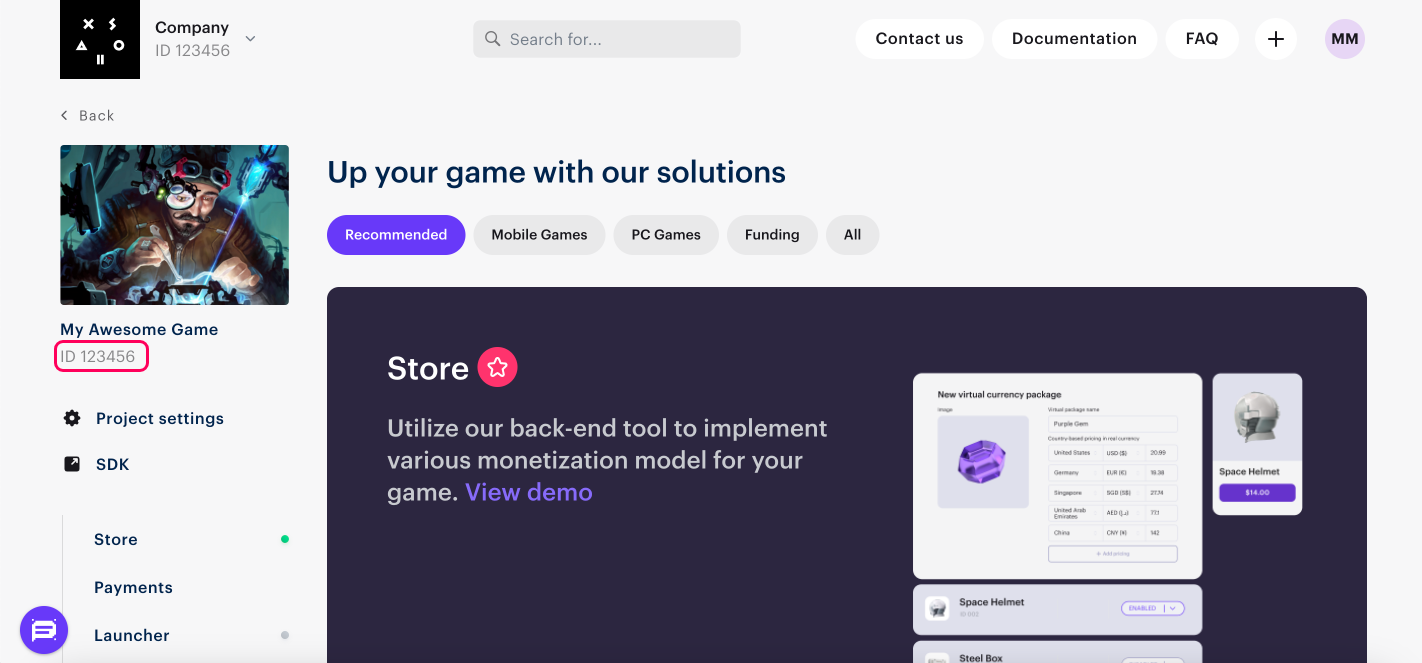
Project ID
Your Project ID is displayed in the Publisher Account next to your project name.
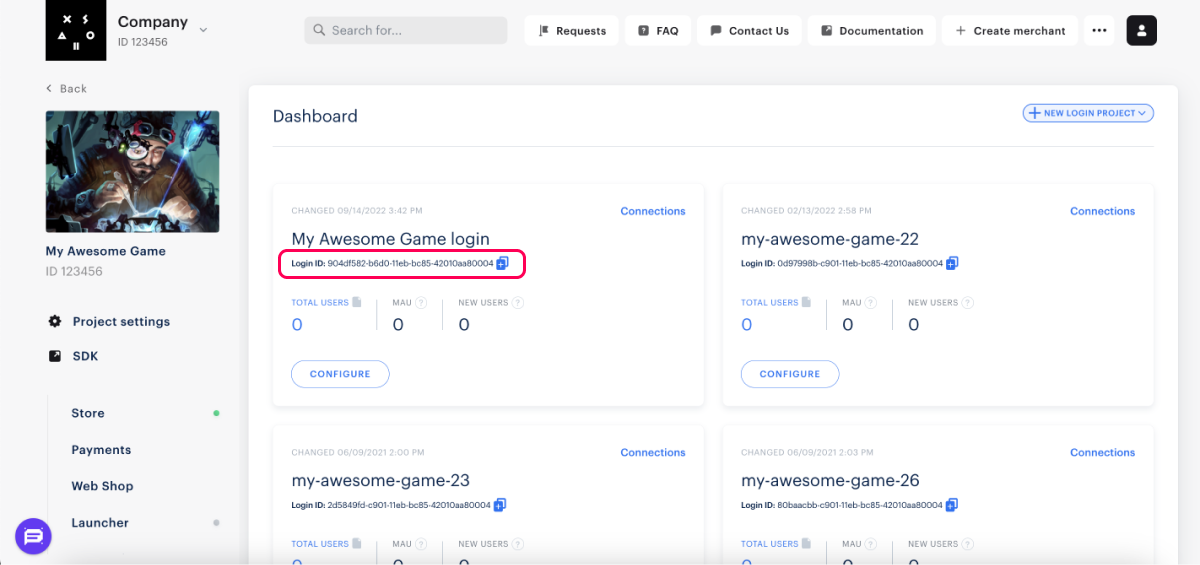
Login ID
To find your Login ID, navigate to Login > Dashboard in the Publisher Account and copy the ID displayed next to your Login project name.
USAGE
Using the IDs with SDK
Use these IDs when initializing the SDK in your project.
- Unity
- Android
- iOS
var settings = XsollaStoreClientSettings.Builder.Create()
    .SetProjectId(<Project ID>)
    .SetLoginId(<Login ID>)
    ...
tip
For more information on how to configure the SDK, visit Configure SDK.
final Config billingClientConfig = new Config(
    Config.Common.getDefault(),
    Config.Integration.forXsolla(
        Config.Integration.Xsolla.Authentication.forAutoJWT(
            ProjectId.parse(<Project ID>).getRight(),
            LoginUUID.parse(<Login ID>).getRight()
        )
    ),
    Config.Payments.getDefault()
);
tip
For more information on how to configure the SDK, visit Configure SDK.
- Objective-C
- Swift
SKPaymentSettings* settings = [[SKPaymentSettings alloc] initWithProjectId: <Project ID>
                                                            loginProjectId: <Login ID>
                                                                  platform: SKPaymentPlatformStandalone
                                                      paystationUIThemeId: SKPaystationThemeDark
                                                          paystationUISize: SKPaystationSizeMedium];

SKPaymentQueue* queue = [SKPaymentQueue defaultQueue];
[queue startWithSettings: settings];
let settings = SKPaymentSettings(projectId: <Project ID>,
                                loginProjectId: <Login ID>,
                                platform: .standalone)

SKPaymentQueue.default().start(settings)
tip
For more information on how to configure the SDK, visit Configure SDK.