PUBLISHER ACCOUNT
Create Project Manually
Create a Publisher Account project from scratch and configure Xsolla Login — get your Project ID and Login ID for SDK integration.
SETUP STEPS
Sign up for a Publisher Account
The Publisher Account is the primary tool for configuring Xsolla features, as well as working with analytics and transactions.
To sign up, visit Publisher Account ↗ (https://publisher.xsolla.com/).
Create a New Project
Configure your project details:
- Select project type: Game, Game platform, or Other.
- Enter your project name in English.
- Choose the release platforms.
- Select monetization approaches.
- Indicate development stage.
- For games: specify genre and game engine.
- Add product/game link (optional).
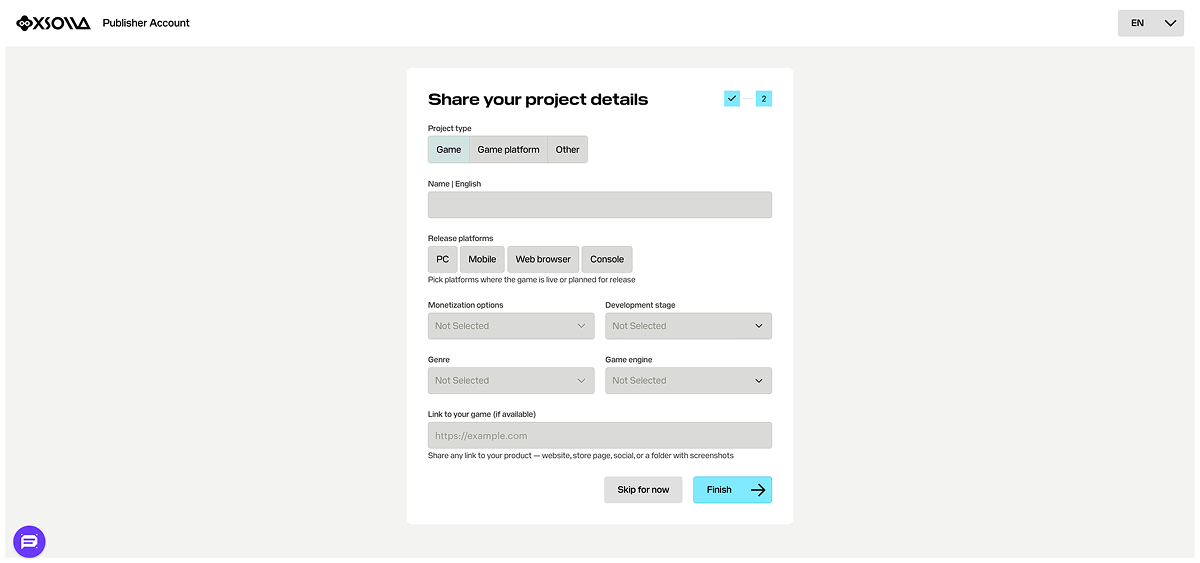
- Click Finish to complete project creation.
Your project will appear in the side menu.
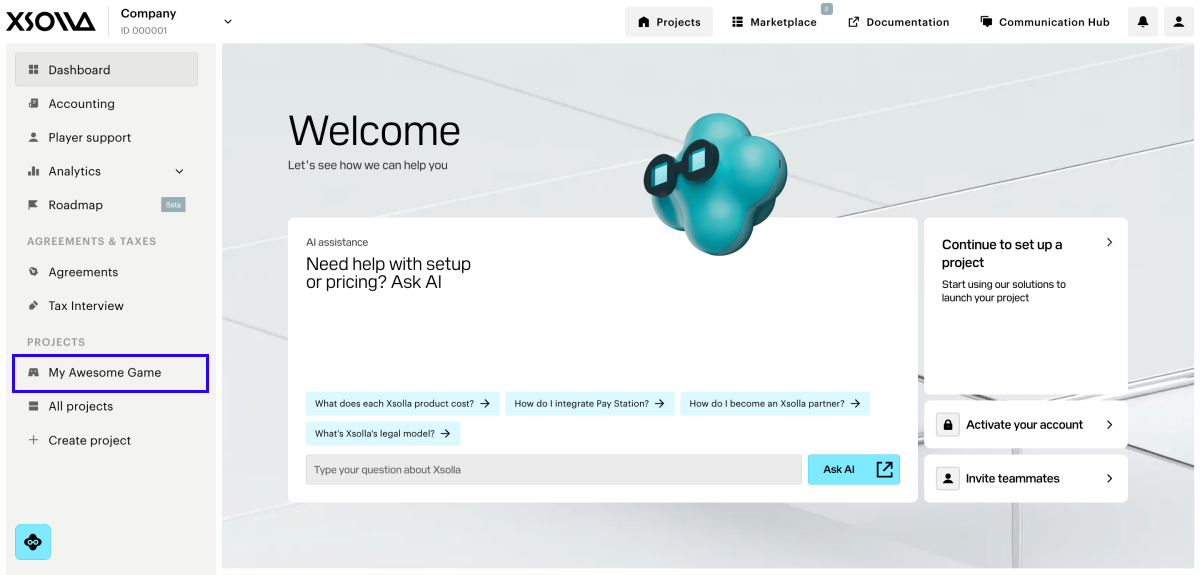
You'll need your Project ID to configure and integrate the SDK. Find it in your Publisher Account next to the project name — see Finding your Project ID for reference.
Set up Xsolla Login
To set up Xsolla Login, follow these steps:
-
Navigate to Players > Login from the menu.
-
Click Create Login project.
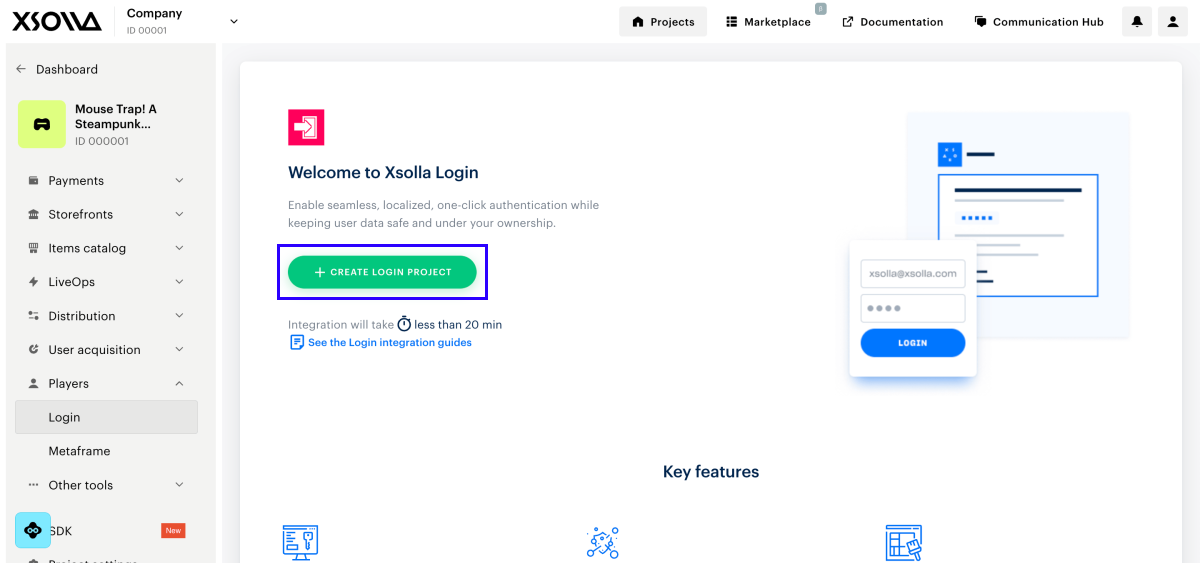
- Select Standard Login project, then click Create and set up.
You'll need your project's Login ID for SDK integration. Find it on your Login project page next to the project name — see Finding your Login ID for reference.
WHAT'S NEXT
Set Up Authentication
Configure an authentication method for your Xsolla Login project. Continue to Setting up authentication.